Saturday, January 30, 2010

Avatar Review

Today, I would like to do a brief review of James Cameron's latest film, Avatar.
As most of you know, Avatar is a movie about an alien world inhabited by blue people who are fighting for their own world against humans. Well that is part of it at least. I never like to give away spoilers, although most people have seen this film already.
When I first heard about this movie, I was confused between this Avatar, and the TV series Avatar, The Last Airbender. The airbender tv series is a great animated show with a very different theme from Cameron's movie. Both were announced as movies at around the same time, and with he same name. They are even both due out this year, although one has been in theaters and the other is due out in a few months. Regardless, the confusion over the name used to be a very strong thing, and still affects a lot of people. Just doing a search for "Avatar" in Google Images, you will find the first several pages dedicated to the tv series, not the movie.
Luckily, M. Night Shamalan, the director of the airbender film, has decided to change the name to simply The Last Airbender, which hopefully will clear up any further confusion.
Now on to the film.

I felt that I needed to see this film twice in order to get a full idea of the story, characters, and effects. Both times, I saw this at an AMC "IMAX" 3D screen. This is a great experience, which I could go on about for hours, but I will keep this very brief. In order to summaries, I will split this into sections: story, characters, effects, IMAX 3D, and finally quality and overall.


Story:
I have heard many people say that this movie is just a reenactment of Disney's Pocahontas, or even Dune. However I have to respond that it is not the same, and despite the strong similarities, there is another view. All stories borrow from other stories. Whether they are movies, comics, books, or whatever, there are no original stories. So while this may borrow heavily from other titles, it is still a unique aspect, and a well delivered story. And indeed it was well delivered, closing any loose ends, bringing together all the important and even some subtle bits of information into a cohesive ending. They did an excellent job of giving this story life, and of making it enjoyable from beginning to end. The main themes are universal and well understood, with a strong message that has been repeated many times lately. Our planet is a living thing and we need to treat it better. I do like the aspect that the spiritual and natural ways of the Navi are actually measurable scientifically. By using special neural connections in their hair, they can interact with animals, plants, and event he planet itself in way we can only imagine. The connections between all these living things physically embody the ideals of many of the American tribes, and give us even better reason to believe that these beings are not just pointlessly spiritual, but that they are physically and mentally connected to every living thing.
I have heard others say that even though this movie is roughly 3 hours long, it does not feel like it. And I agree. After we saw this film for the last time, it was already after 10:30 at night, and I could have sworn it was only 9. This may be so in part to the story, and in part to the effects.


Characters:
The characters are well rounded, 3 dimensional characters with a lot of development.  While the main character of Jake Sully starts off with a past, problems of his own, and even a family, the story quickly launches him into a world where we has no more family, no more goals, and just want to stick with what he does best, despite his lack of funds to allow him to be healed so he can fight again.  The changes that happen to him so fast in his life lead to him being the character we all have to associate with.  He knows little to nothing about Pandora, he has never piloted an "Avatar" before, and he open to learning just about anything.  It is this openness, and his skills as a marine (combined with the only way he has been able to walk and run in years) that has lead him to really engage with the Avatar program.  He must pilot a biologically grown Navi body.  It is this same openness and warrior status that drive the Navi to teach him their ways, and accept him, eventually, as one of their own.  That is all I will give away, since it is really the premise of the film, but I will say that many of these characters are strongly affected emotionally by the events and actions of the story.  The heir to the clan is of course skeptical and only wants to protect his clan, his people and planet, his position, and his woman.  But as he grows, eventually he too changes his views as events unfold.  The female lead here, a Navi flying warrior, also grows.  She is next to be the spiritual leader, and at first views Jake as an enemy, then as an annoyance, growing into curiosity, to a friend, and eventually lover, only to feel betrayed later on.
Even the character of the General in charge of the human forces is well designed.  He has one goal in mind, to protect his people while they mine for resources.  But in the end, his own tough attitude and power hungry ego gets the best of him as he wages an all out war not only against he Navi, but also against his people, and the man he once relied on for intel.  Even the head of the company's operations is a conflicted characters, not wanted to hurt or attack the Navi, but not understanding their view and forced to look out for the company's best interest as he sees it.
I must say that these characters are all multifaceted, with a lot of development and emotional connections.


Effect
Wow!  Amazing!  I can't think of anything as amazing as the effects in this movie.  The quality of the effects is astounding!  Every minute of the work that went into this film was well worth it.  Every frame is a masterful work of cinematic art.  But lets get down to it.
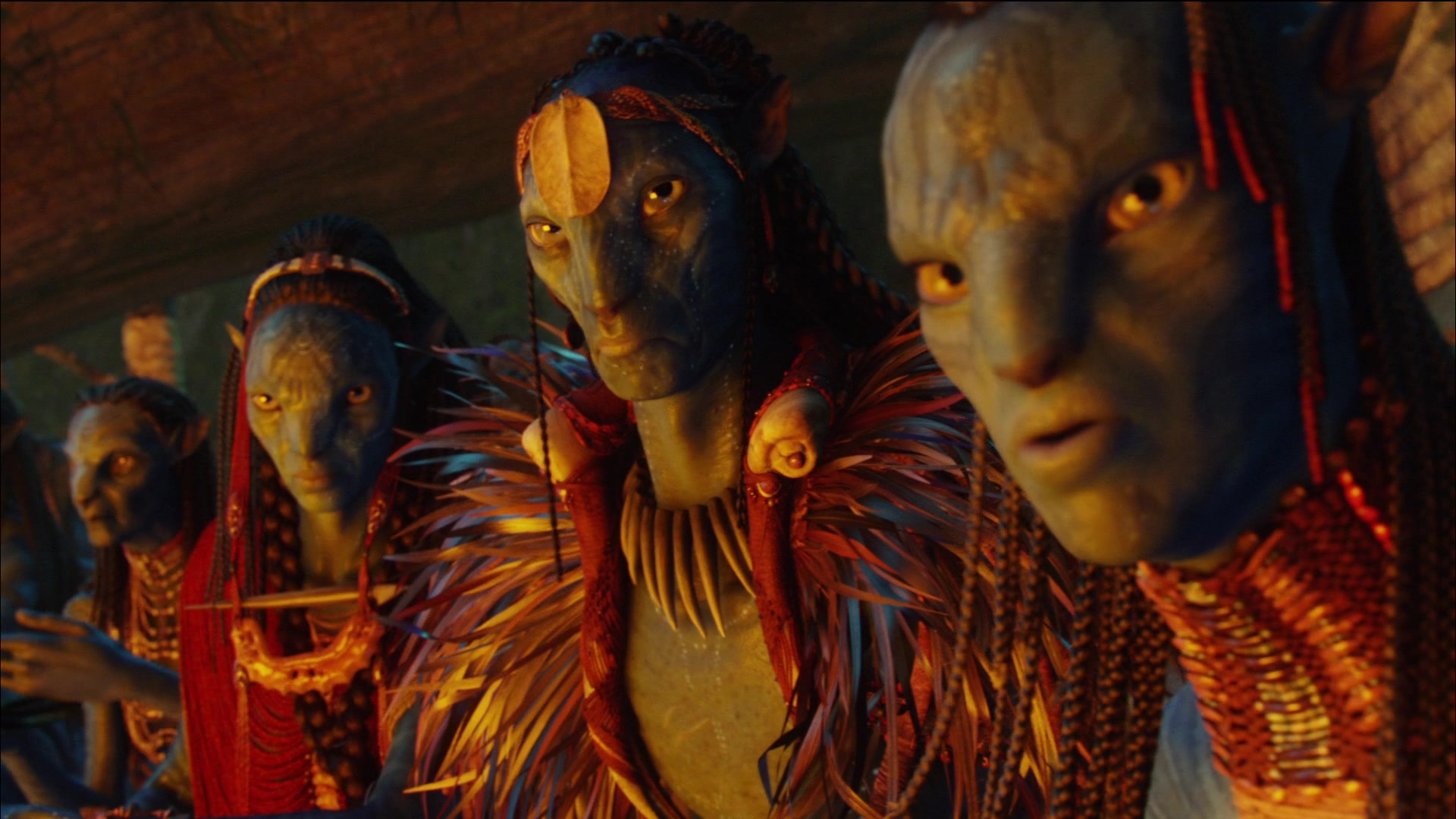
The effects are indeed drop dead gorgeous.  If the story and characters weren't also excellent, this movie would still have a chance on the graphics alone.  Granted, all these aspects are astounding, but none of them show off the quality of this work as well as the graphics do.  The characters interact so flawlessly, I can not for the life of me see where the CG begins, and the acting ends.  It is just flawless.  I feel that the best part about this was the outdoor scenes.  Every blade of grass, every leaf, every animal, every drop of water, mist, clouds, fire, everything is completely believable!  It is full of subtle details that really make you wonder how they could have done so much!  The characters are a close second however.  The Navi are incredibly amazing, with perfect details and animation.  The subtle emotions on their faces, the body movement, the way they balance on their feet, their tales, even the fact that the Avatar bodies (having human DNA mixed with Navi DNA) have 5 fingers while the natural Navi only have 4, are flawless spectacular details that I only dream about doing myself one day.  Even the humans are perfect.  Makeup on the colonel is amazingly good and distinctive, really adding to the character.  The actor Sam Worthington, who plays the main character Jake, is a healthy active guy who stars in many action movies, and yet here, he is a crippled human with legs that have dystrophy (weakened and unusable).  I am amazed at how realistic they made his legs look when you see him moving around with these 2 bony weak legs, like anyone in Jake's position would naturally have.  Amazing.
On that note, I did notice two, and only two things that may or may not have been there.  With my keen eyes and attention to detail, I noticed 2 scenes, fairly close together, where is something off.  The first is a scene when Jake wakes up in ashes (you know what it is when you see it), the arm band he wears is black with little blue stones in the center.  However, without any interaction from navi or humans in between scenes, by the time he is landing before the people on his newly acquired "ride", he has a cyan beaded armband.  Why would be go change armbands, and how?  Still, I might have overlooked something there.  The second issue is actually in this same scene.  As he approaches the clan leader, the look on the leader's face is priceless (mouth agape), but it is also a little off.  This one is a graphics issue, which I have noticed twice now.  The lighting that shines onto the face of the leader doesn't look quite right in the area of his mouth, almost like too much light is getting into around his teeth.  It almost looks like he has a CG glowy mouth, but the rest of him is real.  Now it could be that it is an artifact of the light shining into his face, and is at just the right angle to make it look this way, but it did look off to me.
Regardless, if these are the only problems that I could find, then I have to say it is by far the best CG I have ever seen in my life.

IMAX 3D
 This film was presented in IMAX 3D.  In the AMC screen I went to, this is not the IMAX format screen, but an IMAX brand screen.  Therefore it is NOT the full sized IMAX screen and you may actually lose information due to this.  What I mean is that some movies, like Dark Knight, and Transformers 2, use select scenes to fill an IMAX screen, and present an amazingly engaging scene.  But the IMAX format for these traditional IMAX screen are very square, and very large, at a 1.44:1 ratio.  In fact, the average traditional IMAX screen is 72 ft × 53 ft, while the largest is 117.2 ft × 96.5 ft.  Typical films use 35mm film, while IMAX films use 70mm film.  Regardless, the AMC IMAX screens are not even close to this.  However, they are very impressive.  One big disadvantage of the traditional IMAX screen is that any seat that is not in the ideal spot can be downright painful to watch a movie in.  I have seen several films this way, where in one I was so far off to the side that I got very bad neck aches, and in another I was so far to the front I got awful eye and head aches as well.  This screen is still very high quality, and does not have this problem no matter what seat you get.  Luckily, it is a good experience in most seats.  The IMAX quality is still there, although, like I said, not in IMAX format.  This means it is not a 70mm film, not is it a 1.44:1 ratio screen, and is probably not as wide either.  But I would still say that this is an excellent experience to see.  These screens are high, high quality, and have sharp detailed images with no distortion, no noise, no dirt, nothing.  A flawless presentation.
The 3D, aka stereoscopy, was impressive, but more subtle than I would have liked.  There are 2 planes for 3D films.  The back plane, where the stereoscopy happens "behind" the screen, and the forward plane, where the effect is in "front" of the screen.  Really good movies try to utilize both, to great effect.  Downright bad movies focus too much on sticking out and can really give you a headache trying to focus on the action.  However, this movie focuses more on the back, pushing the effects into the screen.  Instead of seeing the flying reptiles hovering over the front row, you see him on the screen, while the background goes way back into the distance.  I like this for the reason that it presents itself more as a film, and less as a gimmick, and lowers the amount of headache complaints.  However, as others have told me as well, I think it should use a little more of the forward plane than it does.  I does indeed use the forward plane, and to good effects, but usually for minor foreground objects like debris and floating seeds.  It brings you into the scene this way, but I feel they could have pulled a few things out a little further to really show off the 3D.
That being said, I will say that this subtle 3D style is perfect, and looks amazing.  You get so used to it, you hardly even realize it is there after a while, you just get used to seeing it.


OVERALL
 Finally, the overall quality of this film is perfect.  You can not find a better presented film with better effects, better story, or more memorable characters than this.  The amazing visuals really bring in the audience, who are then taken by surprise by the amazing story to go with it.  Everything from the grand outdoors scenes, to the subtle details and movements, to the lighting and color, this movie is as good as it gets!
I can not give any movie a higher recommendation than I give this one.  A+++!!!  If you only see one movie this century, Avatar is the one to see.


Well that about raps it up.  Again, Avatar is an amazing movie worth seeing multiple times.  I can't wait to get it on Blu-ray, and by the time this film hits 3D in the home, I may just have to upgrade my system again.
If you have already seen it, see it again!  If you haven't, GO SEE IT NOW!

If you really get into the story and world of Pandora, check out this great book, Avatar, An Activists Survival Guide.  It shows a lot of things you didn't notice, teaches you things about the world you didn't know, and is a fun book to just pick up and flip through.

Wednesday, January 27, 2010

Portfolio is up and running

I have just recently created a new website designed to accompany this one. While WeaklyAnimated.com will remain my main blogging site, with all the latest information and updates, this other site will feature some of the artwork that I complete, stored there for easy access.
It's called David's Portfolio, and it is what it sounds like. My portfolio website currently includes some of my older works, along with some image editing samples, some photography and drawings, and of course several animations.

It will be updated every few weeks or so with new content, many of which will appear on this site. I hope it is an easy and convenient way to see a good sample of my works, and most of the content posted here.

It's easy to get to the site, I will be adding permanent links on this site soon, but for now, just visit http://web.me.com/cptgreedle.

Thanks for the support, please enjoy the site!

Tuesday, January 26, 2010

Weak 1 Animatic

Exciting news everyone!
I have finally finished the animatic for the Weak 1 project.  While it is currently under the working title, "Red light, Green light", it will have a final name before too long, but no rush.
This animatic is still a work in progress, and some tweaking will be needed, but I have uploaded what I have done so far to show you.  Most of this is black and white, poorly scanned, with very sketchy drawings.  It might be a little hard to understand right off, so please give me your feedback and tell me what you think.  The most important this here is timing and layout.
Does it go by to fast?  Is it too slow?  Is the scene confusing?
Do you like it?  Do you hate it?
Please let me know, and be helpful too.  I am always looking for ways to improve things, so please let me know what you think and how you think it could be better.
Well, without further ado, here it is!


Tuesday, January 19, 2010

Possibly good news

Yesterday, my beautiful and bright wife was going through Facebook when she saw an ad for a school that had my name on it... literally.
It is called the DAVE School, as in Digital Animation and Visual Effects School.  It is based in Orlando Florida, and is part of Universal Studios.  Now this is not a 4 year degree program type school, it is more like a 12 month technical school.  They teach you everything you need to know, in small but intense classes.  And since they attached to Universal Studios, you know they have the knowledge and equipment needed.  What's their main focus?  Get you to have a really kick-ass demo reel in a year.
What's a Demo Reel you ask?
A Demo Reel is the usually short example of work you have done in the past, much like a portfolio on a DVD.  Usually, for animation, acting, and film, a demo reel will either be your portfolio, or accompany it as part of the portfolio.  You put all your best work on there to show off your talent and (hopefully) get the job.
I do not have such a hot demo reel.  In fact, I was trying to make some animations through this website to use as part of my demo reel.  However, it will take me a long time to really make that happen, and there is no guarantee what  produce will be anything like what the industry pros are looking for.  I have really been hoping to get into a school to get more experience and work to show off, but usually I am tied down with pointless general education classes, and classes that do not focus on what I want to do.  It can take years before you even start taking the classes that are really interesting, and the quality and quantity of that work varied greatly depending on the school.
The advantage of a school like this is if you have some background with animation already, you have a head start into a very intense course.  If not, they will still teach you everything you need to know.  As their representative told me over the phone, it is a "Boot Camp" for VFX and Animation.
Oh didn't I say, we submitted info for an information packet, which is coming in the mail.  This morning, they called me and we talked over their school and my situation a bit.  I am glad to hear from these guys so soon, it means that they mean business and are actually interested in me.
I have a lot to do to decide if this is really right for me, I have done a lot of things in the past looking for schools.  I graduated from GMU (George Mason University) with a BA in Digital Art and Animation, but I was never really satisfied with what I learned.  They didn't have access to a MoCap (motion capture) studio, and they taught me a grand total of 1 (one) 3D modeling and animation class.  For an animation degree, it was more like a light glance at the topic than what I wanted.  Needless to say, I didn't have the skills I needed to get into the jobs I wanted.  Not that GMU is all bad, it was that specific set of years they were redefining a lot of the classes, changing instructors, adding a new college, and more.  I ended up getting stuck with repeat classes, temporary instructors, mislabeled courses, and no way out.  Since then I have been trying to get into a graduate degree program, but found that most places wanted me to take a slew of remedial courses, or just start with another undergrad degree before I was eligible for a graduate degree.

I even tried taking courses online through Westwood, but it just wasn't for me.  I tried looking into Ohio State University's (OSU) DAIM (digital animation and interactive media) program through their ACCAD (advanced computing center for art and design) laboratory, but it is very hard to get into and asks for a lot of experience up front.
Well, that is all behind me now.  I hear that GMU has greatly improved their animation offerings, and I will still keep OSU in mind, but what I really need is a jump start in the right direction.  This DAVE school sounds like a winner to me, so far.
The biggest downside is that they use only Windows PCs.  As most of you know, I am a mac head, but I have used and even built PCs, so if this is the only drawback, I will just have to swallow my pride and do what it takes.  At least I know they help people like me build PCs, so who knows, they might like my new one as is, or they might make it even better!

I will keep you all posted how things turn out.
I have a lot to look at and think about, especially since it would involve moving to Orlando Florida for a year.  Classes start every 3 months, so I could sign up as early as March if I really wanted to.

Sunday, January 17, 2010

Tools of the trade

Hello again everyone!

I have something exciting to show you later this week, unfortunately, I have been too busy to complete it just yet.  I have been working on an animatic for the first animation.
For those who aren't familiar with that term, it is essentially an animation made using the storyboard images, in order to get a better sense of timing and layout.  It is also a good way of showing people the concept behind the idea of a scene, and sometimes end up as extras on a DVD or Blu-ray.
I am over half way done with the animatic now, and it shouldn't take too much longer to complete, so I should be able to post in online, via YouTube, later this week.  Of course, I will also post a new blog entry when I do.

For now, however, I want to talk about some of the tools I use to make the animations.  There are a huge variety of tools, both hardware and software, that people use, and I cannot pretend to know them all.  But I will give a list of a few of the ones that I do use.

Hardware:
Paper
Big surprise, I use paper to draw.  I usually use 3x5 notecards for storyboards, but for all sketches, I use a sketchpad, usually by Strathmore.  Green covers, marked Sketch, are the ones I use the most for sketching, while the brown covers, marked Drawing, are for final drawings, but I am always on a look out for recycled paper as well.  When it comes to drawing the final images, I use drawing paper, which is usually thicker and nicer, but not as thick as Bristol board, which is used mostly for my nicer work, such as poster-style art or pen-and-ink drawings.  Although I usually use Strathmore for most of my paper, sometimes I find good deals on other brands, such as the "create" style spiral bound books at Borders Books, which usually convince me to buy some of those as well.  I use Bristol Board for all my nicer work, usually poster-style artwork.  This current animation project is using the Create book, while the web comic I am working on is in a Strathmore Sketchbook.
Pencils
Yup, I use pencils with my paper.  I find that unless I am drawing very detailed shadow work, such as following form and contours with detailed lighting, I usually just stick to mechanical pencils.  They are always sharp, sturdy and easy to transport, and can be very comfortable and accurate.  I like to use graphite at around HB - 2B, but I also use blue (aka non-photo blue) graphite for the initial sketch which allows me to remove any unwanted lines easier.  I have also used a variety of charcoal to draw, but I usually use that for larger art pieces, and not for digital work.  However, one animation, which I hope to post soon, was made entirely out of charcoal.  I did not have the time to achieve the effect I desired, but I think it turned out very well despite that.
Computer
In the world of computers, there are usually 2 camps of thought, Macintosh and Windows.  There are other Operating Systems out there, such as Linux, but they are not as popular overall.  I do have friends that swear by Linux, but most of them also use other computers as well.  As far as I am concerned, I have worked with both PCs and Macs.  I have built PCs, and I grew up with Macs.  I always prefer my iMac for anything important, such as work and artwork.  My PCs are almost always used for gaming.  I have run into several things that Macs actually do better in terms of graphics, but you will find people who will argue against it.  I can say that in my experience, I have run into fewer bugs, fewer viruses, fewer compression errors, and fewer compatibility issues when I use my Mac.  If you love your PC, great.  I will give you some advice about things I have run into on a PC to keep a look out for, but if you have a high end machine, you should have no real issues.  I currently use a 24" iMac, (although I would really love a mac tower), and also a custom built i5 processor PC.  All my work here will be done on my iMac.  This is mainly cause the software I use is on my iMac, and some of it is not even available on the PC (how about that for a change).
Tablet
While I don't use it as often as I should, I do have access to a relatively small graphics tablet.  These are usually made by Wacom (pronounced Wack-um), and are very useful for digital artists.  They are very expensive, and I need to upgrade to a newer model, but that is something I will have to save up for.  Regardless, tablets are great for fine detailed work an accurate drawings in the computer.  You can draw straight in the computer with one, or trace an existing drawing, or edit a scan/photograph with extreme precision.
Scanner
Having a background with National Geographic Society, I know a think or two about scanners, since my main job involved work with the scanning technicians to make the best images available.  The scanners they have there are very expensive, large, and accurate.  I have access only to small, cheap, and somewhat lacking scanners, but they are good enough to get the job done.  I am not scanning in high quality photographs and positives/negatives, I am only scanning in drawings.  To that end, I use a Canon Canoscan LiDE.  It does have some artifacts, but with the right editing, they are easily removed or reduced.  I use a scanner for this work because I like to draw on paper rather than straight into a computer, plus you have flexibility of mediums and techniques.  I will explore direct digital drawings with tablets at a later time.
iPhone
I know I need something better, something more dedicated, but for now, until I can afford a better solution, I use my iPhone for a variety of purposes.  I use it to take pictures for reference shots, I use it to record sounds outdoors if I need something like a car engine, I use it as a calculator to figuring out frame rates, etc.  It is very useful, but there are better things out there for each job.
Home Theater
I use my HDTV with 7.1 surround sound home theater to test my animations when they are done.  I can play things on my PS3, either as files or DVDs (I cannot make Blu-rays yet).  It is a great way of seeing the final product and showing it off, especially when playing with surround sound.
Accessories
I have a lot of accessories I use as well.  For example, I use a PowerMate, by Griffon Technology, for "scrubbing" and navigating timelines.  I also have a variety of hard drives, including La Cie drives, and Western Digital drives, not to mention a MyBook drive used as backup.  The grand total of space I have right now is around 1.75TB, but I backup only 1.5 of it.  I am only using around 500GB at the moment, but it is good to have breathing space.  I also have JBL speakers, surround sound headphones, several USB mics, and much more.

Software:
Adobe Photoshop
I use Photoshop CS4, but in all honesty, most people don't need something that new or advanced.  For basic editing, you only need Photoshop Elements.  However, for animation, having Photoshop is great.  I am used to it, I know it very well, and I use a lot of the advanced tools all the time.  You can easily use CS, CS2, or CS3 as well, having CS4 only adds a few new nice features which you don't need.  Unless you do medical work, or 3D work, there is NO REASON in the world you should get the extended edition.  It is great, and I do have it, but I never use the extended features.
Adobe After Effects
Again, I use After Effects CS4.  It has been a while since I used After Effects, so I am relearning some of the tools, and I find that it is a very good program.  I used to use CS, but have been out of the loop ever since.  I will be exploring some of the newer features, and experimenting with it.  But After Effects is essential to these animation, because it is the main program that puts all the elements together into an animation.
Adobe Flash
Once again, I have Flash CS4.  I am not familiar with Flash, in terms of animation and programming.  So for me, it will all be a learning experience.  I will not start out with Flash at first, since I am trying to get back into animation after such a long hiatus, and want to stick with things I am familiar with.
Apple Final Cut Pro
I am not using the latest Final Cut, but it is still sufficient for my needs.  This is the program that takes all the scenes, the music, the text, etc., and put them together, and renders it into one single file ready to burn onto a disc.  I have the entire suite, but I have to figure out how to use more of it since I only ever focused on 2 of the programs in it before.  This is not available on the PC, but the Mac/PC equivalent, which I will also explore and experiment with, is called Adobe Premier.  Premier advertises that it burns Blu-ray discs, but Apple computers lack the hardware at the moment.  (Then again, so does my PC).
DVD Studio Pro
The second program I learned in the Final Cut Suite.  Also not available on PC, this program lets you create the menus and options for use on a DVD.  You can burn a final product with this program.  I think that Adobe Encore is the Mac/PC equivalent to this, but I must explore it more.
Maya
This is for people who want to explore world outside the second dimension.  For 3D modeling and animation, Maya is a must-have.  While many companies have their own software (Pixar uses Marionette), they are not available to the general public, and learning Maya is usually the best way to get a head start in the right direction.  This is a very advanced, expensive, and complicated tool.  I am trying desperately to better familiarize myself with it, but it will be a while before I can really dig my teeth into it.  I need to get a few 2D animations out first to get the workflow organized and refined better.  You can also use Studio Max and other software to create 3D effects and models.  Maya comes with MotionBuilder, which I fully intend to explore, and also Combustion, which I am not familiar with... yet.  There are other tools 3D artists use, such as ZBrush, which gives you more refined control over various aspects of the modeling and animation process.  ZBrush lets you brush in details to a model with ease and accuracy.  I need to save up to get this.
Other
There are lots of other programs I use.  I use Quicktime and Sound Studio to record audio, but I may be exploring other options.  I use Soundtrack Pro also, for mixing sounds.  I use Firefox, Safari, and Chrome when I do web work, as well as Dreamweaver for creating websites, which I will probably not use much for this project.

Well, that is it for now.  Another long post, but a there is lots of information in it.  If anyone wants more information about what tools I will be using, or have suggestions for any tools you use that might work better, please send me an email.  And no anti-mac/anti-pc spam please.  I use both, I like both, I just prefer my Mac.  If you prefer your PC, more power to you.